
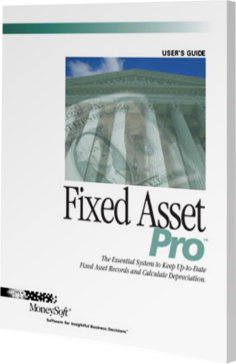
About Fixed Asset Pro
Fixed Asset Pro is a fixed asset management software from MoneySoft designed for small and mid-sized businesses. It provides tax preparation support, financial reporting capabilities, and asset depreciation tracking so users can manage their fixed assets effectively. The software allows for easy buying and selling of a business, helps with earn-out agreements, and facilitates the creation of letters of intent and preliminary transaction documents. With its user-friendly interface, Fixed Asset Pro enables businesses to maintain compliance and simplify financial planning. Key capabilities: asset tracking financial reporting tax preparation depreciation calculations transaction management Best for: small to mid-sized businesses that need effective fixed asset management.
Fixed Asset Pro is presented as a powerful, affordable, and effective all-in-one fixed asset management and depreciation software for small and mid-sized businesses. It eliminates the frustrations of spreadsheets by offering total control over data, supporting an unlimited number of assets and entities, and including 68 depreciation methods for both Book and Tax purposes. The system's complete reporting capabilities, which produce tax reports for forms 4562 and 4797 and custom reports via the on-board report builder, make it an invaluable tool for accounting and management control. Deployment of the software is streamlined for quick user adoption. It runs on Windows desktop(s) or remotely on a Windows Remote Desktop Server (RDS). Installation is quick, and the inclusion of a Data Import Wizard allows users to easily import existing data from Excel or CSV files, virtually eliminating manual data entry. Additionally, new subscribers receive free access to the Quick Start Training System, which includes instructional videos and a live session with an expert trainer to ensure fast and correct deployment.
Pros & Cons
- Easy setup and user-friendly interface allows quick adoption for teams without extensive technical support
- Reliable depreciation calculation outside ERP systems simplifies asset accounting for complex organizations
- Responsive customer support ensures issues and questions are addressed promptly, improving user confidence
- Compatibility with older version files allows seamless software updates without data loss
- Affordable pricing provides cost-effective fixed asset management for small to medium-sized businesses
- Reporting features may lack depth compared to full-scale ERP-integrated solutions
- Software may be too basic for enterprises requiring multi-entity or multi-currency management
- Occasional slow performance when handling very large asset volumes
- Learning curve exists for new users unfamiliar with fixed asset workflows
- Some advanced features require manual workarounds for optimal functionality
Features
Key features
Supports up to 6 different books for financial, tax, AMT, state, and user-defined reporting using a single set of inputs.
Includes 68 methods such as MACRS, ACRS, half-year, mid-month, mid-quarter, bonus depreciation, and Section 179.
Provides fully customizable data grids to display, sort, subtotal, and export asset data according to user preference.
Tracks assets from construction-in-progress (CIP) through acquisition, use, and disposal for complete lifecycle management.
Allows linking of invoices, pictures, documents, spreadsheets, and warranty information to individual assets.
Generates standard and custom reports for acquisitions, depreciation, disposals, and tax forms, exportable to Excel, PDF, and Word.
Allows bulk changes to asset fields such as service date, useful life, depreciation method, or disposal details.
Additional features
No limit to the number of assets or companies managed in the system.
Facilitates two-way data portability and reduces manual data entry errors.
Predefined templates for common asset types simplify data entry and ensure consistency.
Password-protected databases to control access to sensitive asset information.
Supports multi-user collaboration via Windows Remote Desktop, Citrix, or Terminal Server.
Maintains warranty and service details for assets to ensure proper maintenance and coverage.
Allows 15 user-defined fields per asset for additional metadata tracking.
Provides projections of future depreciation for financial planning and budgeting.
Manages assets under construction until they are placed in service.
Supports detailed notes and task scheduling for individual assets.
Validates asset data to prevent errors and ensure accuracy.
Create custom reports from any field in the database.
Supports modeling of refunds, credits, or other negative asset entries.
Generates journal entries, tax forms 4562 and 4797, personal property tax reports, and summary reports.
Over 20 library views provided for quick data visualization and reporting.
Updated for the latest tax and depreciation regulations to maintain compliance.
Export reports and Flex Views to Excel, CSV, PDF, and Word.
Pricing
One-time purchase
Countries & Languages
Available in
Interface languages
Billing currencies
No reviews yet
Be the first to drop a review
Alternatives to Fixed Asset Pro

Fixed Asset Register Solution
Fixed Asset Register Solution is a management software from CyberSwift that provides effective tracking and…

Kykloud
Kykloud is a construction management software from Gordian that provides insights for all phases of…
Fixed Asset Management Software
Fixed Asset Management Software is a platform from Basic Asset Solutions that helps organizations effectively…

Urbi.ai
Urbi.ai is a data analytics platform from Cynergex that focuses on urban intelligence. It combines…


Spot something wrong or outdated?
Suggest a correction — a reviewer verifies every change.
About Fixed Asset Pro
Fixed Asset Pro is a fixed asset management software from MoneySoft designed for small and mid-sized businesses. It provides tax preparation support, financial reporting capabilities, and asset depreciation tracking so users can manage their fixed assets effectively. The software allows for easy buying and selling of a business, helps with earn-out agreements, and facilitates the creation of letters of intent and preliminary transaction documents. With its user-friendly interface, Fixed Asset Pro enables businesses to maintain compliance and simplify financial planning. Key capabilities: asset tracking financial reporting tax preparation depreciation calculations transaction management Best for: small to mid-sized businesses that need effective fixed asset management.
Fixed Asset Pro Details
Fixed Asset Pro's In-App Market Place
Does Fixed Asset Pro have an in-app market place?
Yes
How many Mini-Apps in the marketplace?
1
Mini Apps
N/A
Pricing Options
Plans
One-time purchase
Accepted Payment Currencies
USD ($)
Pros & Cons
- Easy setup and user-friendly interface allows quick adoption for teams without extensive technical support
- Reliable depreciation calculation outside ERP systems simplifies asset accounting for complex organizations
- Responsive customer support ensures issues and questions are addressed promptly, improving user confidence
- Compatibility with older version files allows seamless software updates without data loss
- Affordable pricing provides cost-effective fixed asset management for small to medium-sized businesses
- Reporting features may lack depth compared to full-scale ERP-integrated solutions
- Software may be too basic for enterprises requiring multi-entity or multi-currency management
- Occasional slow performance when handling very large asset volumes
- Learning curve exists for new users unfamiliar with fixed asset workflows
- Some advanced features require manual workarounds for optimal functionality
Fixed Asset Pro's Support Options
Contact
800-966-7797Fixed Asset Pro's Alternatives
Fixed Asset Register Solution
Fixed Asset Register Solution is a management software from CyberSwift that provides effective tracking and…
Kykloud
Kykloud is a construction management software from Gordian that provides insights for all phases of…
Fixed Asset Management Software
Fixed Asset Management Software is a platform from Basic Asset Solutions that helps organizations effectively…
Urbi.ai
Urbi.ai is a data analytics platform from Cynergex that focuses on urban intelligence. It combines…